News Sources
- Adafruit Playground
- Twitter: CircuitPython, MicroPython and Python
- Raspberry Pi News, Pi Foundation
- Mastodon CircuitPython and MicroPython
- BlueSky CircuitPython, MicroPython, Raspberry Pi
- Google News Python, Infoworld
- YouTube: CircuitPython, MicroPython, Prof Gallaugher
- maker.io Python
- hackster.io CircuitPython and MicroPython
- Instructables: CircuitPython, MicroPython, Raspberry Pi Python
- hackaday CircuitPython and MicroPython
- python.org
- Python Insider - dev team blog
- Individuals: bret.dk, Jeff Geerling, Yakroo, coXXect
- Tom’s Hardware: CircuitPython and MicroPython and Raspberry Pi
- hackaday.io newest projects MicroPython and CircuitPython
- hackaday.io - CircuitPython and MicroPython
- MicroPython Meeting
View this email in your browser. Warning: Flashing Imagery
Welcome to the latest Python on Microcontrollers newsletter! insert 2-3 sentences from editor (what’s in overview, banter) - Anne Barela, Editor
We’re on Discord, Twitter/X, BlueSky and for past newsletters - view them all here. If you’re reading this on the web, please subscribe here. Here’s the news this week:
Headline

text - site.
CircuitPython Remote
CircuitPython Remote 0.0.2 is an early beta VS Code extension for browsing and editing files on CircuitPython Web Workflow devices over WiFi. It is designed around the standard CircuitPython Web Workflow API, but other boards, operating systems, firmware versions, and network configurations have not yet been verified The author is looking for community feedback - Adafruit Blog, code Visual Studio Marketplace and GitHub.
Feature
text - site.
Refinements in the Centari Quadcopter System
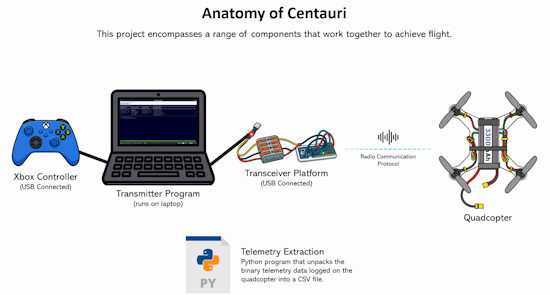
Tim Hanewich continues to refine Centauri, a fully custom quadcopter system a custom MicroPython‑based flight controller, running efficiently on a low‑power Raspberry Pi Pico. Unlike most quadcopter projects that rely on off‑the‑shelf flight controllers, Centauri is entirely original - GitHub and YouTube. Via X.
Snakie Now Allows Picking a Microcontroller Board From a List of 240 Devices
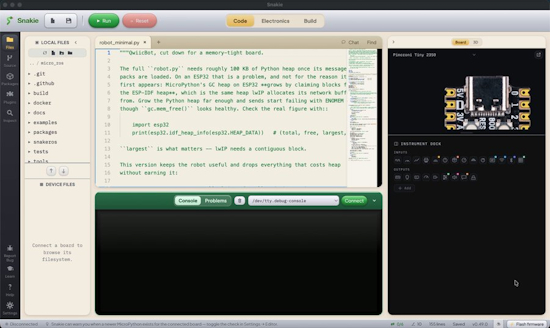
Kevin McAleer’s Snakie editor / integrated development environment (IDE) for MicroPython and CircuitPython now lets you pick the board to code for and flash from a catalog of nearly 240 boards - X.
Making a Python Interpreter in 1024 Bytes
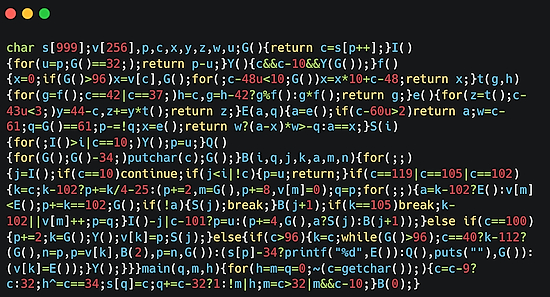
Austin Z. Henley set himself a weekend challenge to write a Python interpreter in 1024 bytes of C, with no macro tricks and no libraries - austinhenley.com and GitHub. Via the Adafruit Blog.
This Week’s Python Streams

Python on Hardware is all about building a cooperative ecosphere which allows contributions to be valued and to grow knowledge. Below are the streams within the last week focusing on the community.
CircuitPython Deep Dive Stream

Last Friday, Scott streamed work on .
You can see the latest video and past videos on the Adafruit YouTube channel under the Deep Dive playlist - YouTube.
CircuitPython Parsec
John Park’s CircuitPython Parsec this week is on - Adafruit Blog and YouTube.
Catch all the episodes in the YouTube playlist.
Deep Dive with Tim
Last week, Tim streamed work on .
You can see the latest video and past videos on the Adafruit YouTube channel under the Deep Dive playlist - YouTube.
CircuitPython Weekly Meeting
CircuitPython Weekly Meeting for September 8, 2026 (notes) on YouTube.
Project of the Week: Rebuilding a 1995 GPS Time Server with Raspberry Pi and Python
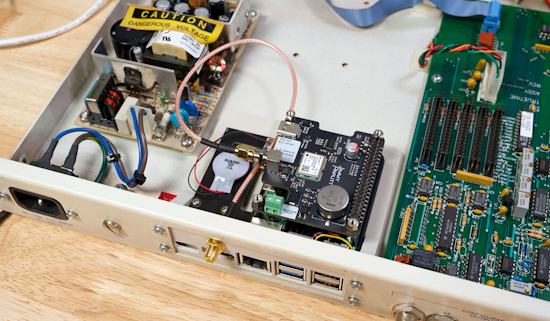
A 1995 TrueTime XL-AK GPS time server has been rebuilt around a Raspberry Pi 5 by maker Jeff Geerling. The original unit was bought in June to learn about the history of GPS-based time. Sixteen days later, a similar GPS time server took down Australia’s cell service for 12 hours.
The restomod drops a Pi 5 and a GNSS HAT with a u-blox NEO-M9N into the chassis, then drives a vintage Densitron 16×2 LCD and the bicolor status LED from the Pi’s GPIO. Chrony and gpsd handle stratum 1 NTP duty using PPS. The build is reversible: two connectors swap the original TrueTime hardware back in - Jeff Geerling, YouTube and GitHub.
Popular Last Week
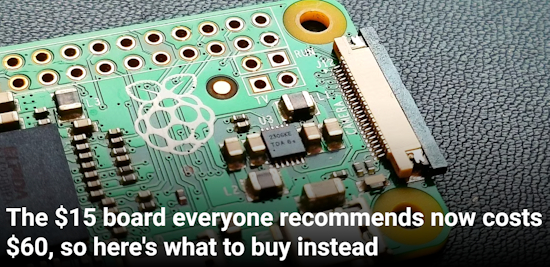
What was the most popular, most clicked link, in last week’s newsletter? The $15 Raspberry Pi Zero line board everyone recommends now costs $60, so here’s what to buy instead.
Did you know you can read past issues of this newsletter in the Adafruit Daily Archive? Check it out.
Notes from Adafruit Playground
Adafruit Playground is a place for the community to post their projects and other making tips/tricks/techniques. Ad-free, it’s an easy way to publish your work in a safe space for free.
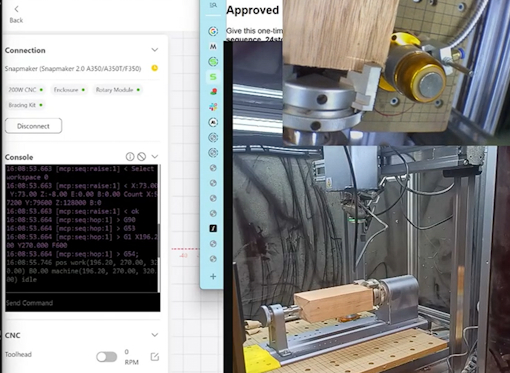
Bringing new conveniences to an old CNC (v1 - unmodified machine) - Adafruit Playground.

text - Adafruit Playground.

text - Adafruit Playground.
News From Around the Web
text - site.
text - site.
text - site.
text - site.
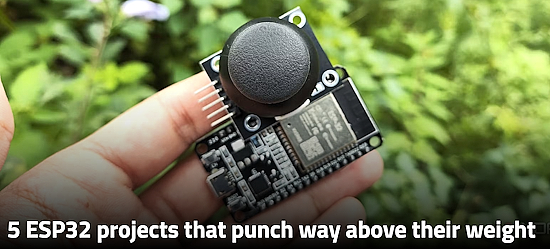
Five ESP32 projects that punch way above their weight - XDA.
text - site.
text - site.
text - site.
text - site.
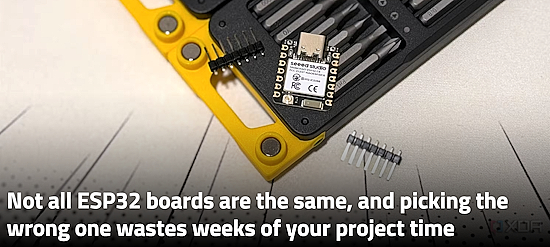
Not all ESP32 boards are the same, and picking the wrong one wastes weeks of your project time - XDA.
text - site.
text - site.
text - site.
text - site.
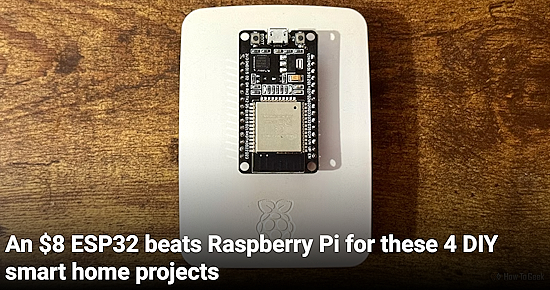
An $8 ESP32 beats Raspberry Pi for these 4 DIY smart home projects - How-To Geek.
text - site.
text - site.
text - site.
New
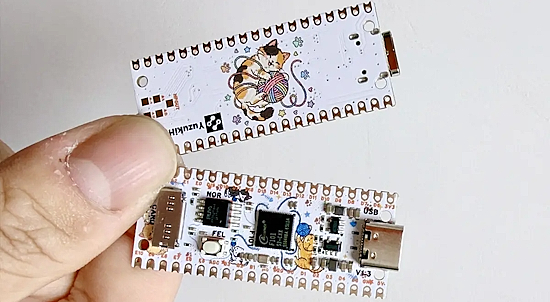
YuzukiNeko is a Raspberry Pi Pico-sized single board computer powered by a new Allwinner F101 RISC-V SoC. The processor features a single 1.008 GHz C907 RISC-V core, 8MB or 16 MB PSRAM, and support for various display interfaces such as MIPI DSI, 24-bit RGB, and LVDS. The YuzukiNeko board itself features the F101 SoC, an SPI NOR flash, a microSD card for storage, a USB-C port, and two 20-pin GPIO headers - CNX.
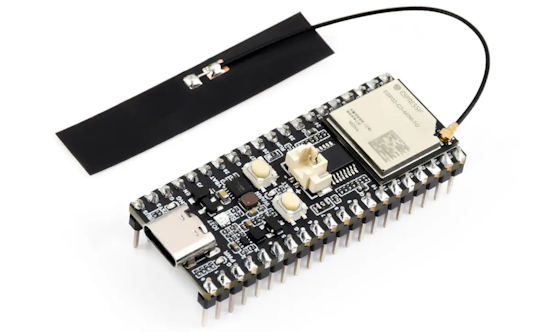
Waveshare ESP32-C5 Pico board brings the ESP32-C5 dual-band WiFi 6, Bluetooth LE, and 802.15.4 (Zigbee/Thread) SoC to the Raspberry Pi Pico form factor.
The board features an ESP32-C5-MINI-1 Series module with PCB or external antenna, two 20-pin GPIO headers, a USB-C port for power and programming, Reset and Boot buttons, and a few LEDs. It also supports Li-Ion battery charging and discharging - CNX.
New Boards Supported by CircuitPython
The number of supported microcontrollers and Single Board Computers (SBC) grows every week. This section outlines which boards have been included in CircuitPython or added to CircuitPython.org.
This week there were (#/no) new boards added:
Note: For non-Adafruit boards, please use the support forums of the board manufacturer for assistance, as Adafruit does not have the hardware to assist in troubleshooting.
Looking to add a new board to CircuitPython? It’s highly encouraged! Adafruit has four guides to help you do so:
New Adafruit Learning System Guides
The Adafruit Learning System has over 3,200 free guides for learning skills and building projects including using Python.
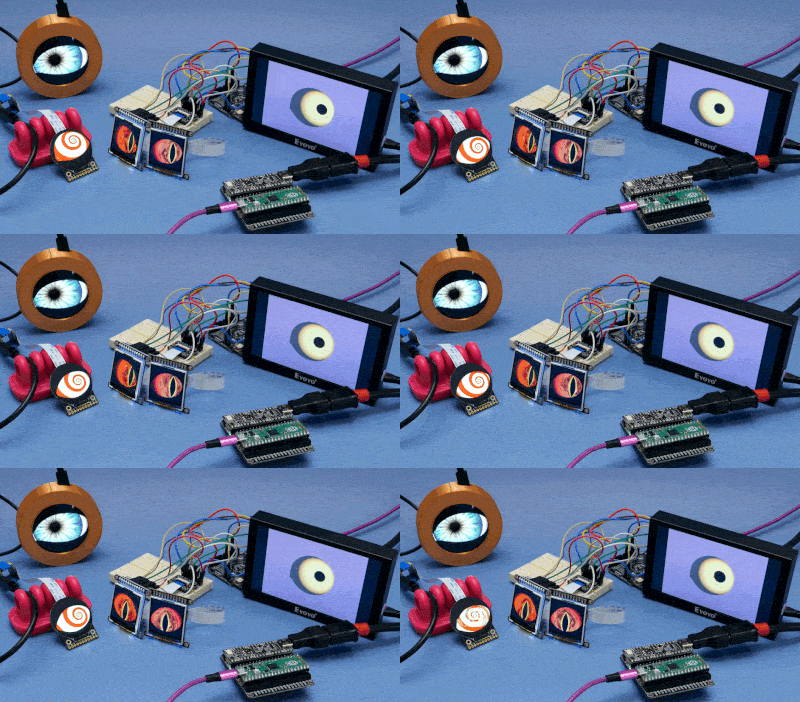
Adafruit Monster Eyes from Liz Clark
title from name
title from name
Updated Learn Guides
title
CircuitPython Libraries

The CircuitPython library numbers are continually increasing, while existing ones continue to be updated. Here we provide library numbers and updates!
To get the latest Adafruit libraries, download the Adafruit CircuitPython Library Bundle. To get the latest community contributed libraries, download the CircuitPython Community Bundle.
If you’d like to contribute to the CircuitPython project on the Python side of things, the libraries are a great place to start. Check out the CircuitPython.org Contributing page. If you’re interested in reviewing, check out Open Pull Requests. If you’d like to contribute code or documentation, check out Open Issues. We have a guide on contributing to CircuitPython with Git and GitHub, and you can find us in the #help-with-circuitpython and #circuitpython-dev channels on the Adafruit Discord.
You can check out this list of all the Adafruit CircuitPython libraries and drivers available.
The current number of CircuitPython libraries is ###!
New Libraries
Here are this week’s new CircuitPython libraries:
Updated Libraries
Here are this week’s updated CircuitPython libraries:
What’s the CircuitPython team up to this week?
What is the team up to this week? Let’s check in:
Dan

text.
Tim

The SP-1 and watchdog guides are both published. Next up for me is porting pico-faces to run on the Fruit Jam and output via HSTX/DVI. I’ve got it working, and added an optional 2x2 colored grid effect inspired by Andy Worhol. Now I’m working on getting it cleaned up and writing a guide for it.
Scott

text.
Liz
The Monster Eyes guide was published this week. Since the code has grown, I’m going to refactor it into an Arduino library, that way folks can use it alongside projects more easily. I’ve also been documenting the TMF8801 time of flight sensor. There is a CircuitPython driver available for it.
Upcoming Events

The next MicroPython Meetup in Melbourne will be on August 26 – Luma. You can see recordings of previous meetings on YouTube.

PyCon AU 2026 will be 26 Aug. 2026 – 30 Aug. 2026 in Brisbane, Australia.
Other Events This Year
- PyCon JP 2026 is August 21-22 at the International Conference Center Hiroshima with sprints the 23rd at Hiroshima University Higashi-Senda Campus.
- Maker Faire Bay Area is September 26-28 at Mare Island, California.
- PyConZA 2026, South Africa’s Python conference, will be 14–18 Oct at Belmont Square, Cape Town, South Africa.
- Espressif DevCon 2026 will be November 3-4 in Milan, Italy and online.
If you know of virtual events or upcoming events, please let us know via email to cpnews(at)adafruit(dot)com.
Latest Releases
CircuitPython’s stable release is #.#.# and its unstable release is #.#.#-##.#. New to CircuitPython? Start with our Welcome to CircuitPython Guide.
2026#### is the latest Adafruit CircuitPython library bundle.
2026#### is the latest CircuitPython Community library bundle.
v#.#.# is the latest MicroPython release. Documentation for it is here.
#.#.# is the latest Python release. The latest pre-release version is #.#.#.
#,### Stars Like CircuitPython? Star it on GitHub!
Call for Help – Translating CircuitPython is now easier than ever

One important feature of CircuitPython is translated control and error messages. With the help of fellow open source project Weblate, we’re making it even easier to add or improve translations.
Sign in with an existing account such as GitHub, Google or Facebook and start contributing through a simple web interface. No forks or pull requests needed! As always, if you run into trouble join us on Discord, we’re here to help.
NUMBER Thanks


The Adafruit Discord community, where we do all our CircuitPython development in the open, reached NUMBER humans - thank you! Adafruit believes Discord offers a unique way for Python on hardware folks to connect. Join today at https://adafru.it/discord.
ICYMI - In case you missed it

Python on hardware is the Adafruit Python video-newsletter-podcast! The news comes from the Python community, Discord, Adafruit communities and more and is broadcast on ASK an ENGINEER Wednesdays. The complete Python on Hardware weekly videocast playlist is here. The video podcast is on iTunes, YouTube, Instagram, and XML.
The weekly community chat on Adafruit Discord server CircuitPython channel - Audio / Podcast edition - Audio from the Discord chat space for CircuitPython, meetings are usually Mondays at 2pm ET, this is the audio version on iTunes, Pocket Casts, Spotify, and XML feed.
Contribute
The CircuitPython Weekly Newsletter is a CircuitPython community-run newsletter emailed every Monday. To contribute your content, please email your news to cpnews (at) adafruit (dot) com with information and link(s) to your content.
Join the Adafruit Discord or post to the forum if you have questions.